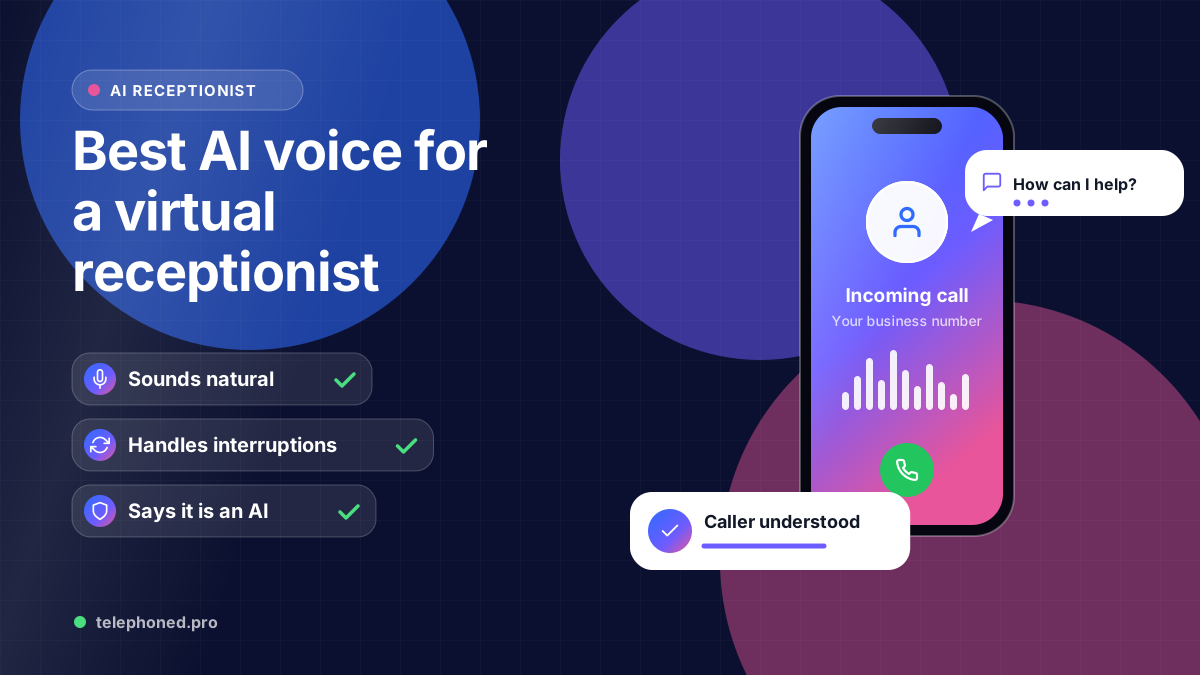
Best AI Voice for a Virtual Receptionist: What to Test
The best AI receptionist voice isn't the fanciest. Learn what makes callers trust an AI voice, how to test it in a demo, and whether it should say it's AI.
Read the guide →AI Receptionist
An IVR makes callers press 1 and hope their reason is listed. An AI receptionist asks what they need. See what changes, and when a menu still makes sense.
AI-assisted editorial guide from Telephoned.pro, a provider of AI receptionist services. It compares IVR phone menus with conversational AI receptionists, cites a Gartner customer survey and a vendor-commissioned Vonage survey, and describes when a phone menu is still the better fit. Call examples are illustrative.
The biggest difference between an AI receptionist and an IVR phone tree is who does the work. An IVR makes the caller listen to a menu, guess which number fits, and hope their reason is listed. An AI receptionist asks what they need in plain words, then books, answers or hands the call to the right person with a summary.
That sounds like a small change, but it decides whether a caller with a cracked tooth on a Saturday reaches someone or gives up at option 4. This guide compares the two side by side, shows what a caller actually experiences, and is honest about when a short phone menu is still the right tool.
Read those numbers together. People dislike rigid phone menus, and they are wary of AI because they worry it will stand between them and a person. Gartner reports that difficulty reaching a person is customers' top concern about AI in service. The answer is not to avoid automation; it is to automate in a way that makes reaching the right person easier, not harder.
Interactive voice response, or IVR, plays recorded prompts and routes the call based on keypad presses or a few recognised words: press 1 for sales, 2 for billing, say “appointments.” A conversational AI receptionist works more like a front-desk person. It listens to the whole sentence, asks follow-up questions, and takes the next step your rules allow.
| What the caller experiences | IVR phone tree | AI receptionist |
|---|---|---|
| Saying why they called | Listens to a menu and picks a number | Explains in their own words |
| Their reason is not on the menu | Guesses, presses 0 or hangs up | The AI asks a clarifying question |
| Booking an appointment | Routed to a person or voicemail | Offered real open slots and booked |
| Reaching a person | Depends on the menu path | Available on request or by rule, with a summary passed on |
| Calling after hours | Usually a closed message or voicemail | Answers, books, or escalates urgent calls |
| Changing the options | Re-record prompts and remap keys | Update the instructions and rules |
| What the business learns | Which key was pressed | Why people called and what happened next |
The table hides one important point: an AI receptionist is only as good as the rules behind it. It needs your hours, services, service area, booking rules and escalation contacts. An IVR needs far less setup because it decides very little.
Take an HVAC company in Atlanta in July. A homeowner calls at 7:40 p.m. because the air conditioning has stopped and the house is at 88°F. Here is the same call through each system.
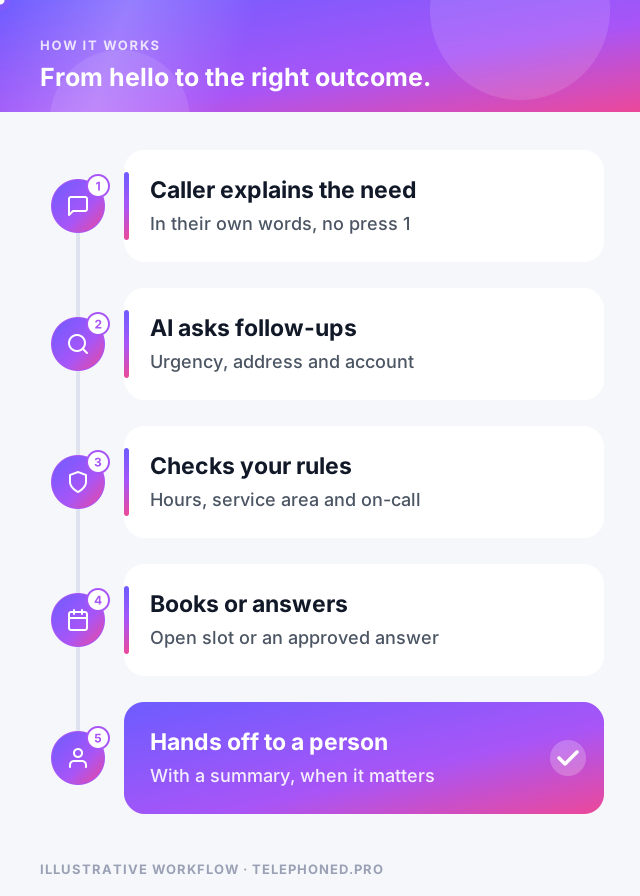
The same pattern applies to a dental office in Phoenix on a Saturday. A patient with a broken crown does not want to choose between “new patients” and “existing patients.” They want to know whether someone can see them. An AI receptionist can ask the few triage questions the practice approves, offer the Monday emergency slot, and flag anything urgent to the dentist on call.
Most people have been stuck in a phone tree that repeats itself or hangs up after the third wrong key. They assume any automated voice will do the same. You earn trust by designing the opposite experience on purpose.
“A phone menu asks callers to fit your org chart. A good AI receptionist fits itself to the caller, then gets out of the way when a person is needed.”
An IVR is not always wrong. It is cheap, predictable and easy to audit. For some calls, a two-option menu is genuinely faster than a conversation.
Many businesses end up with a hybrid: a one-question greeting, or no menu at all, in front of an AI receptionist that handles the conversation and transfers to people when a call needs them.
| Stage | What changes | What to check |
|---|---|---|
| 1. After hours | AI answers when the office is closed; the daytime menu stays | Every booking and every urgent escalation |
| 2. Overflow | AI picks up calls the team cannot answer within a few rings | Handoffs and summaries reach the right person |
| 3. Front door | The menu is removed or cut to one question | Caller complaints, abandoned calls and transfer times |
Tell regular callers what changed: a line in your voicemail greeting, an email to existing clients, or a note on your website. People who learned “press 3 for billing” will try it once; the AI should understand a pressed key as well as a spoken request during the transition.
Keep reading
Bring one real workflow. We will show you how calls, follow-up and scheduling could connect for your business.